


VMware has finally officially announced what is to be included in vSphere 6.0 after lifting the lid on parts of the update during VMworld 2014 keynotes and sessions.
See my introductory post: What’s New in vSphere 6.0: Finally Announced (about time!) for details of all the components.
VMware continues to build out its hypervisor core management application vCenter with more functionality. There are no dramatic architectural changes but VMware is moving slowly to pull apart vCenter into its component parts to be able to run more vCenters at scale and is creating a central services function.
Platform Services Controller (PSC)
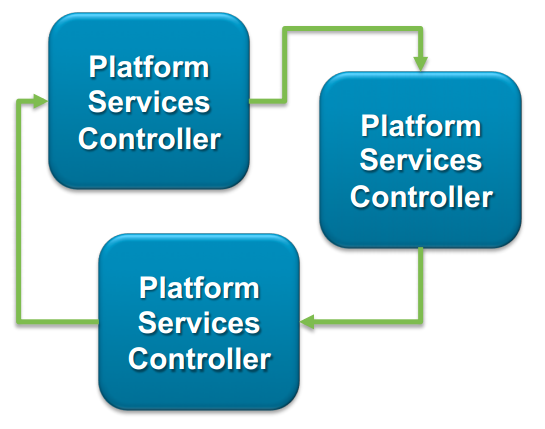 VMware is introducing a new component called the VMware Platform Services Controller (which had a previous beta name of Infrastructure Controller).
SSO was the first component to be spun out into what is now being built up as the PSC. SSO was first released in 5.1 and had major issues and was rebuilt as SSO 2.0 for vSphere 5.5
vCenter, vCOPs, vCloud Director, vCloud Automation Center can use functionality within the PSC as a shared component.
vCenter is actually being split in two. One part is now called the Management Node and the other is the Platform Services Controller.
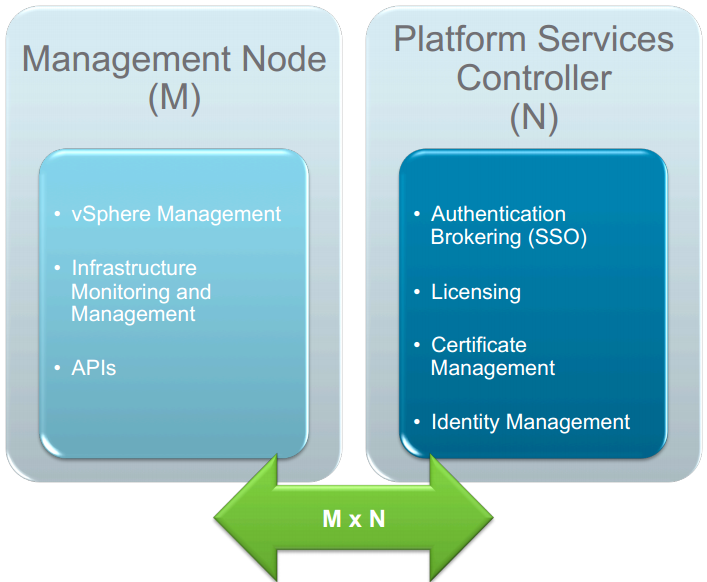
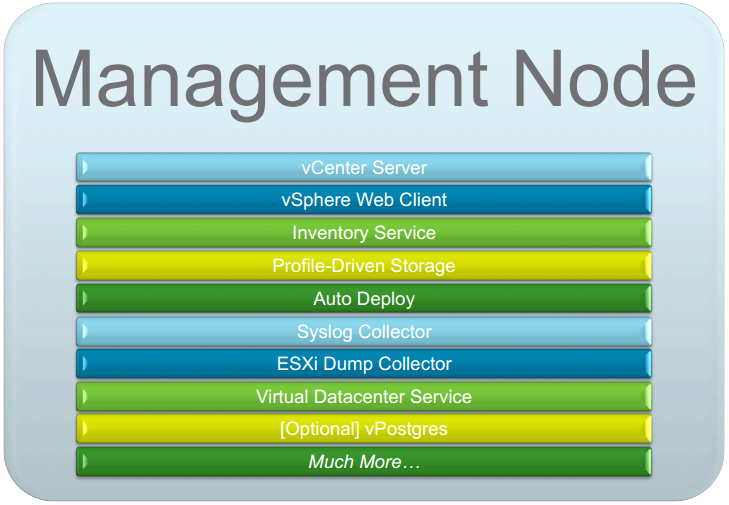
The Management Node contains all the vCenter Server components with all the security related things stripped out.
The PSC now contains the following functionality:
- SSO
- Licensing
- Certificate Authority
- Certificate Store
- Miscellaneous Services
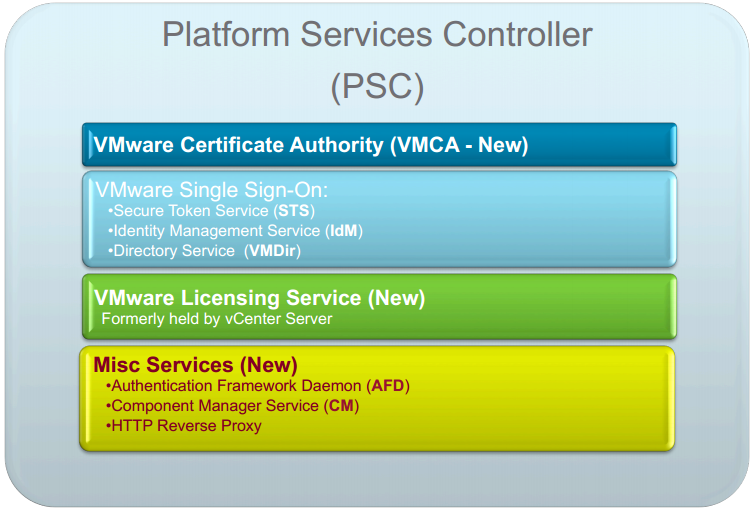
The Certificate Authority and Certificate Store are new components to at last tame the wild and woefully inadequate management of vSphere certificates. The new VMware Certificate Authority (VMCA) can act as a root certificate authority either managing its own certificates or handling certificates from an external Certificate Authority. VMCA provisions each ESXi host with a signed certificate when it is added to vCenter as part of installation or upgrade. You can view and manage these certificates from the vSphere Web Client and manage the full certificate lifecycle workflow.
Other services will be added to the PSC in future releases.
The PSC is built into vCenter and runs as a vPostgres database so there’s no additional database to worry about and it runs in both the Windows and appliance version. The PSCs self replicate and importantly don’t use ADAM so it can replicate between Windows and appliance vCenters.
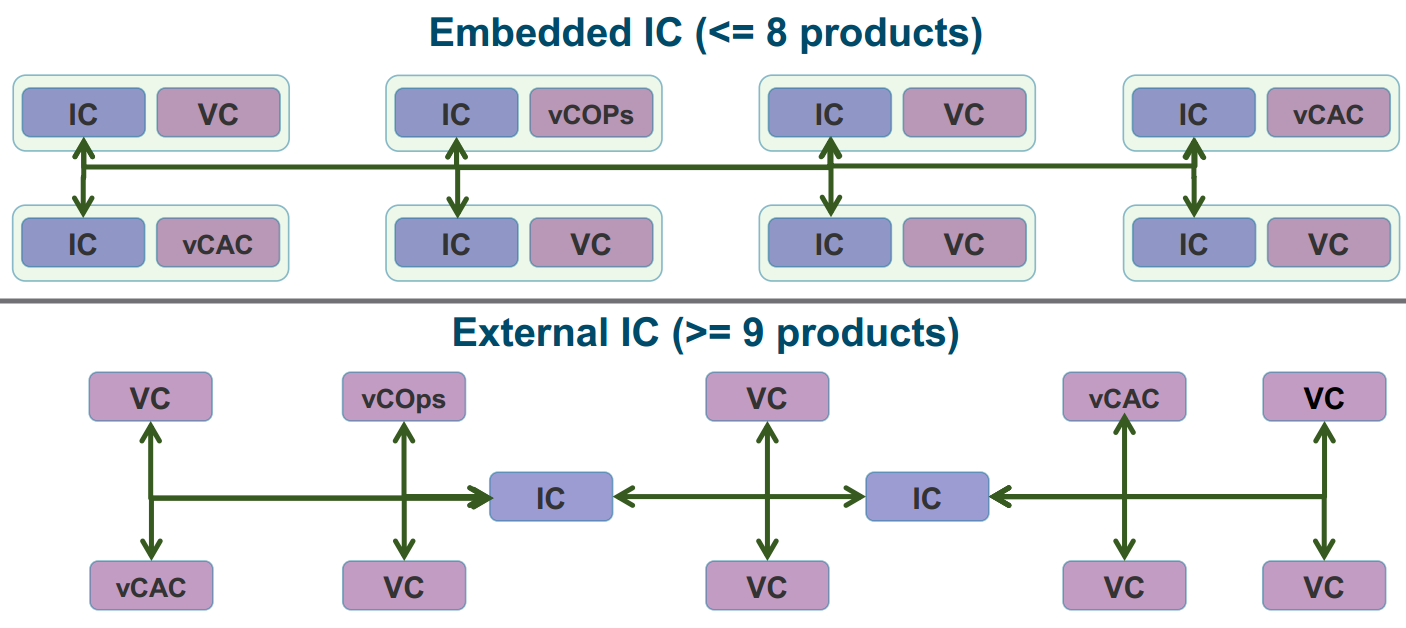
You can either have the PSC embedded within vCenter Server or run it as an external component to vCenter Server.
VMware suggests if you are running 8 or less vCenters it is best to use PSC embedded with vCenter. vCenter will then connect only to its internal PSC.
If you have more than 8 vCenters, VMware recommends using an external PSC rather than the embedded one. You can then use the PSC as a highly available and load balanced service shared by your many vCenters. You won’t then be connected to one PSC but a pool of them.
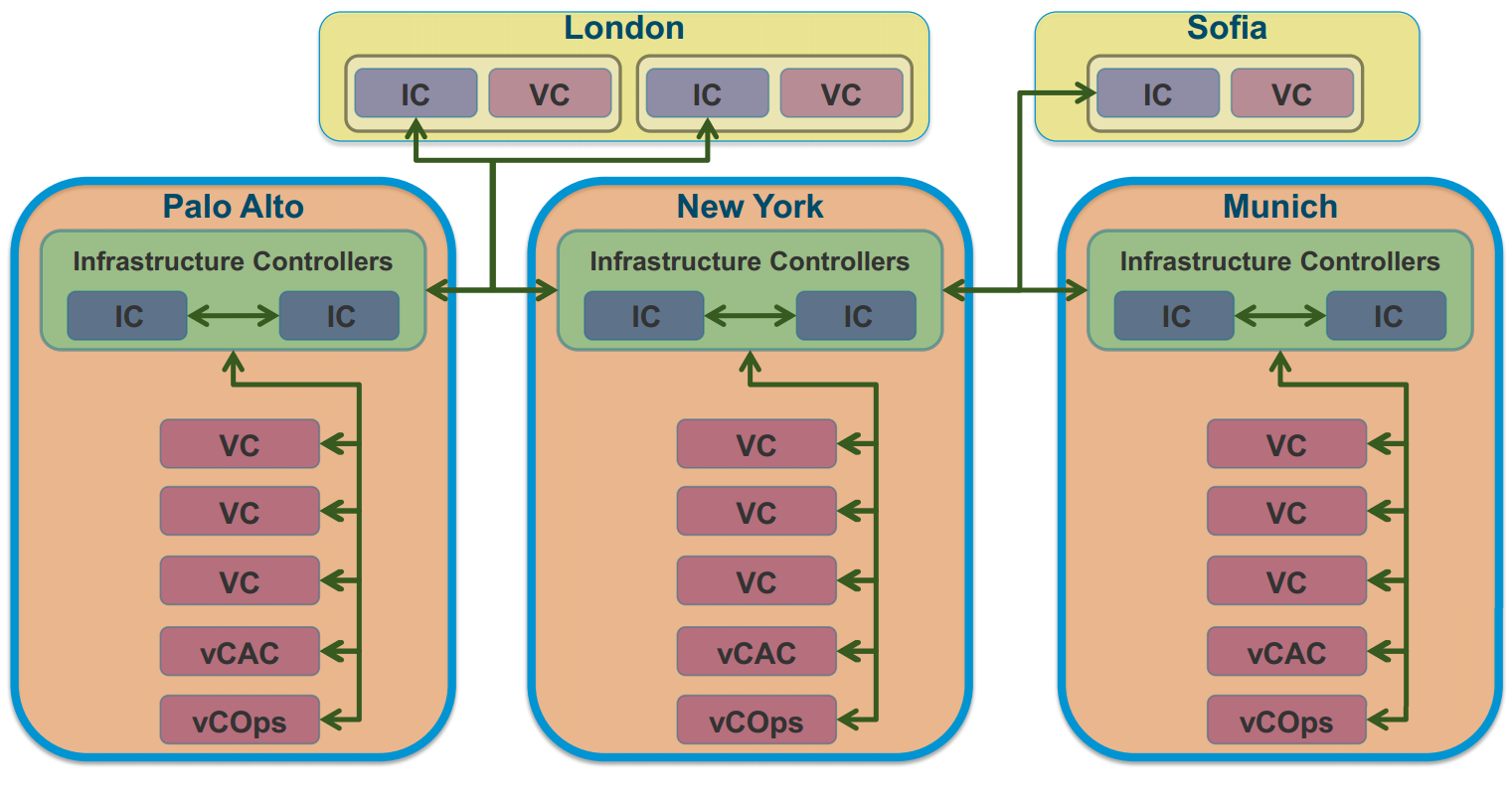
Just to clarify, the PSC is a new service and separate from the Inventory Service which handles inventory management of VMs.
vCenter Server Appliance (VCSA)
The VCSA has also been beefed up. With 5.1 you could manage 100 hosts and 3000 powered on VMs. vSphere 6 now allows 1000 hosts and 10,000 powered on VMs.
Oracle is still the only external database supported as Microsoft doesn’t have an officially supported ODBC Driver for Linux (SLES), the one they do have is only community supported.
vSphere Web Client
Continued performance gains and tagging improvements along with all new functionality. It still uses Flash which won’t please many people, will we ever get a native HTML5 web client?
vSphere Client
You may be happy or disappointed to hear that VMware has decided to keep on the VI Client (C# Client) for one more release, vSphere 6.0. After that they say it will definitely be gone. Although the Web Client continues to progress and speed up, customer feedback has been that they would like to continue to use the familiar older client for now. No new functionality is being added to the C# Client so although it will be supported, it is only able to manage an ever decreasing subset of vSphere functionality.
Install and Upgrade
The vCenter installer for Windows has been streamlined. We are back to one installer now with all input up front. There is more and better pre-check functionality. You can choose between embedded and external (pre-existing) PSCs during installation
The upgrade procedure hasn’t changed since vSphere 5.5, vCenter is upgraded using the standalone installer or vSphere Update Manager and ESXi is updated using the .ISO or Update Manager.