HP has released a significant firmware update to its Virtual Connect line of HP Blade chassis switches.
This is part 3 of a 6 part post on HP Virtual Connect 4.01:
- HP Virtual Connect 4.01: What’s New
- HP Virtual Connect 4.01: Dual-hop FcOE support
- HP Virtual Connect 4.01: Min/Max Bandwidth Optimisation
- HP Virtual Connect 4.01: Priority Queue QoS
- HP Virtual Connect 4.01: SNMP and sFlow enhancements
- HP Virtual Connect 4.01: RBAC and Multicast + some more
Min/Max Bandwidth Optimization
The next major enhancement in Virtual Connect 4.01 is a far more flexible bandwidth rate limit control. HP is finally catching up with Cisco UCS to offer this.
Virtual Connect has always had the option to set the available bandwidth for a FlexNic but this was a single value that didn’t have any rate adjustment based on traffic flow. This meant that although you may have 10Gb of bandwidth available to your LOM with multiple FlexNics, if one FlexNic was reaching the maximum of its allocated bandwidth yet another FlexNic on the same LOM was hardly utilised, VC couldn’t dynamically give more bandwidth to the starved FlexNic. You would have to go into VC and manually reconfigure the FlexNic bandwidth.
VC 4.01 is now able to share unused bandwidth proportionally among FlexNics and FlexHBAs. FlexNics/HBAs can now be configured with a minimum guaranteed and a maximum capped ingress bandwidth from the blade to VC.
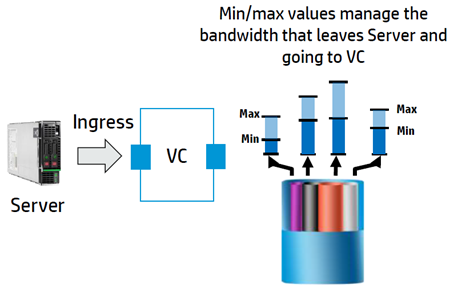
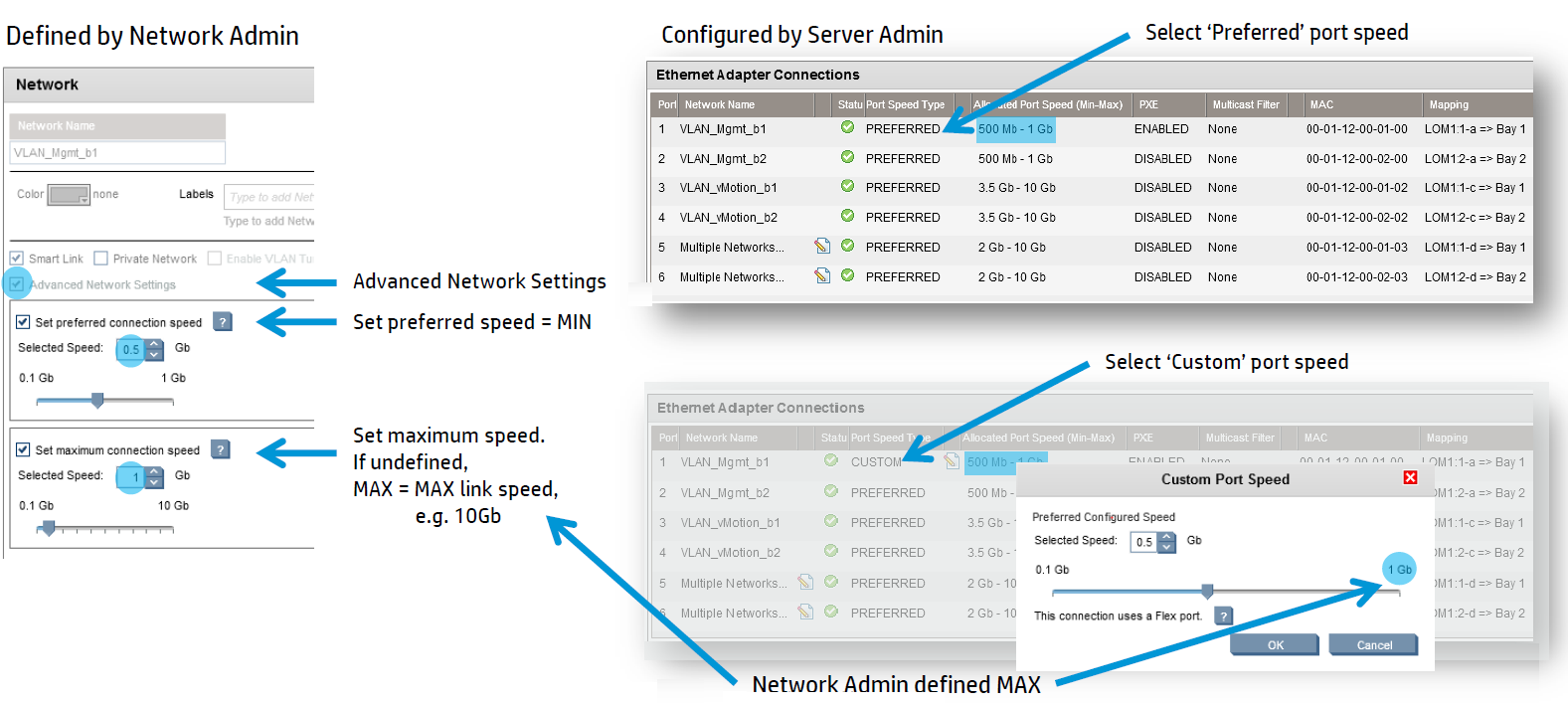
Each Ethernet Adapter configured in the server profile can now be configured with a minimum and maximum allocated port speed.
Maximum is the maximum rate for a FlexNic to transmit which is how things were configured before and is available when all other FlexNics are idle.
Minimum is the guaranteed minimum bandwidth that will be given to the FlexNic. If the FlexNic isn’t using all its bandwidth, the unused portion can be re-allocated to other FlexNics. If there is congestion, the FlexNic will always be guaranteed this minimum amount of bandwidth.

VC allows the effective configuration to happen in two places. The Network Admin can configure Min/Max values in the Ethernet Networks and then the Server Admin can configure the Server Profile FlexNics with Min/Max values within whatever the Network Admin has defined.
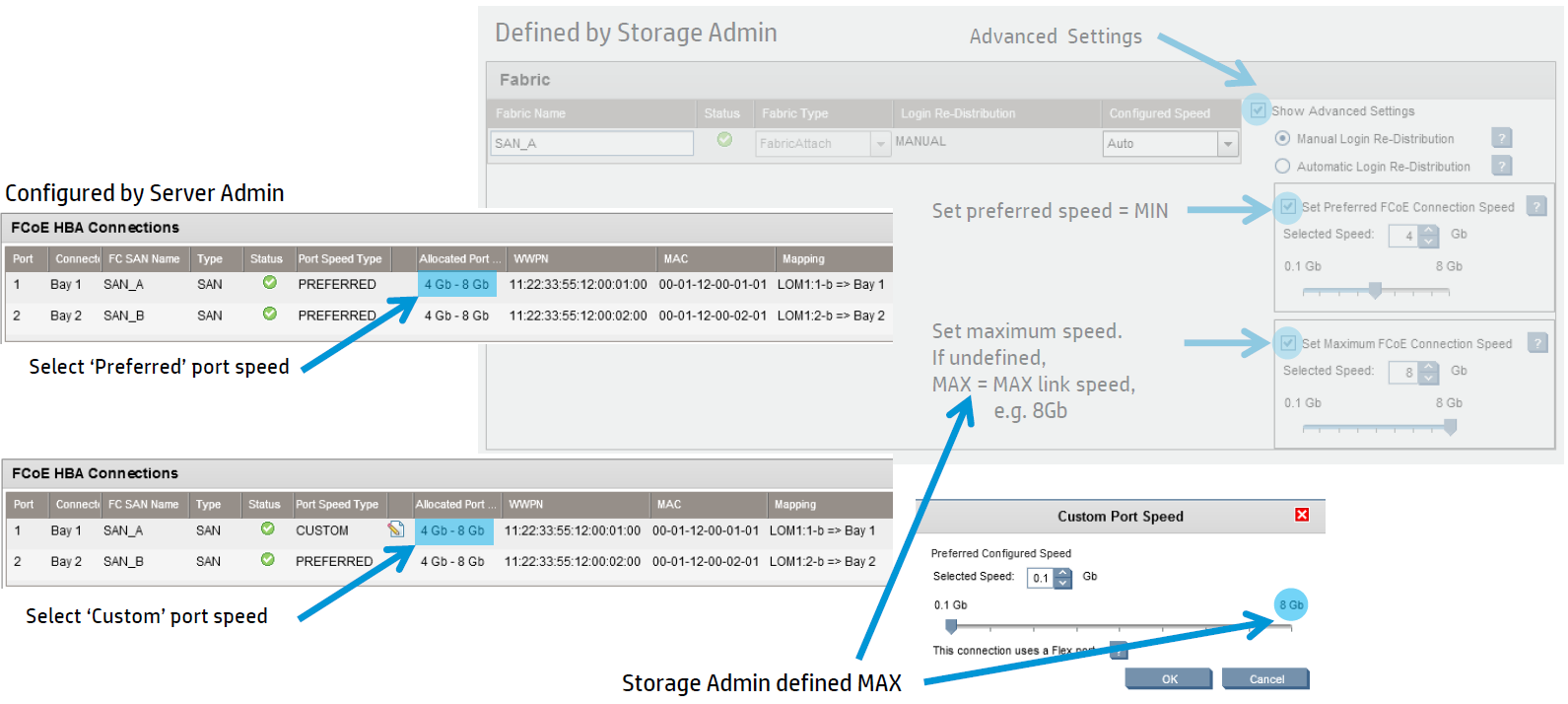
For FCoE, a similar configuration is available. The Storage Admin can define the Min/Max values for each Fabric (up to 8 Gb) and then the Server Admin can set the valid FlexHBA port speed within whatever the Storage Admin has defined.
There are some dependencies, you cannot use Min/Max bandwidth optimisation with the following adapters:
- HP NC551i Dual Port FlexFabric 10Gb Converged Network Adapter
- HP NC551m Dual Port FlexFabric 10Gb Converged Network Adapter
- HP NC550m 10Gb 2-port PCIe x8 Flex-10 Ethernet Adapter
HP recommend you update your Flex-10 and FlexFabric adapter firmware and drivers to SPP 2013.02.00 before installing VC 4.01.
When VC is upgraded, it will reprogram the min/max values based on the DCC protocol. If you don’t have any Max values already defined for your Ethernet Networks, 10GbE will be programmed as the new Max value and for FCoE, 8Gb will be programmed as Max value.
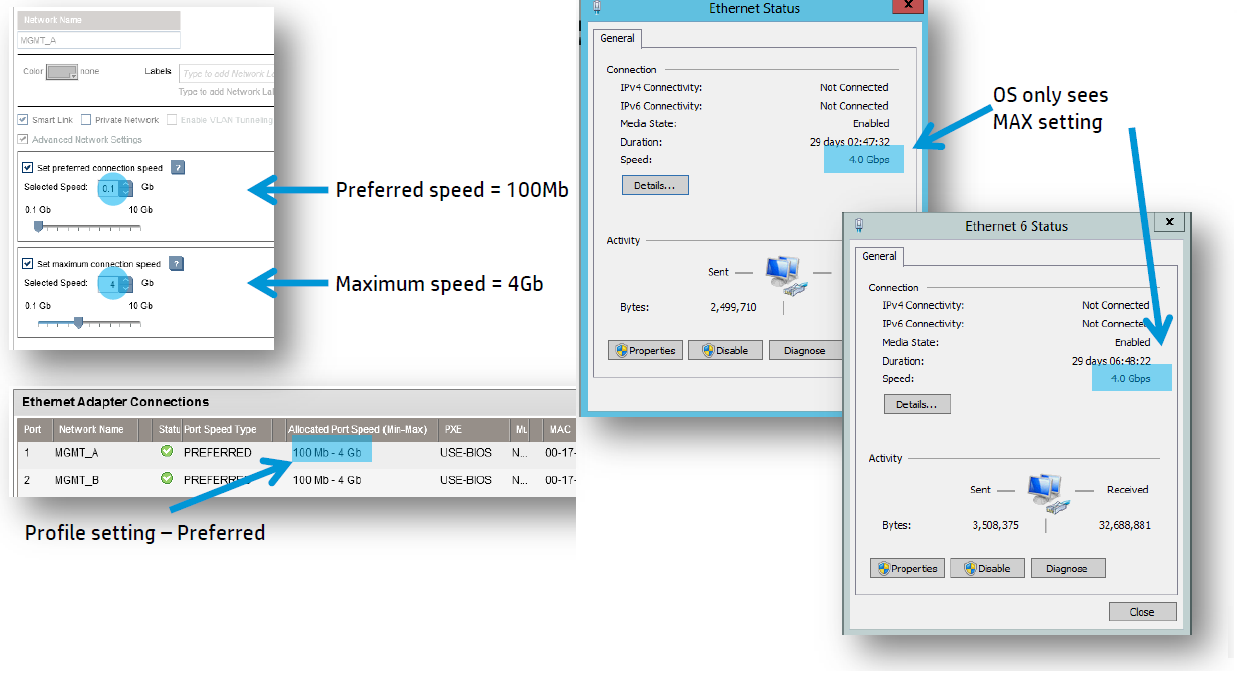
The OS Nic setting will only see the Max value.